.png)
Remote Work
Remote Work Essentials: The Budget Work-From-Anywhere Kit
Five pieces of gear fix the problems that show up in almost every rental, hostel and café. Here is what each one solves and which budget picks are worth a look.
Dillon Price · September 23, 2026 · 8 min read
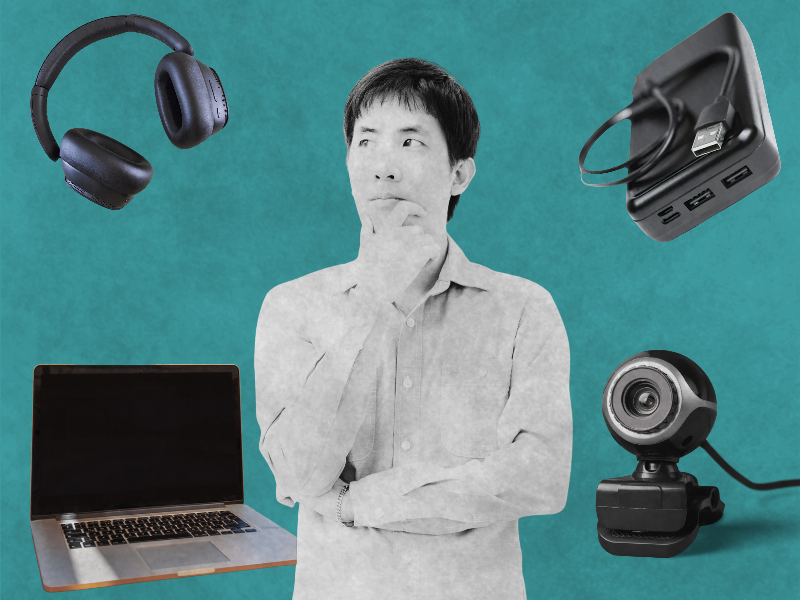
Picture the first Monday in a new city. The coffee is better than the coffee at home, the light through the window is a different color, and the kitchen table you've claimed as a desk is exactly the wrong height. By eleven, your shoulders have crept up toward your ears. By two, the laptop is at nine percent and the only free outlet is behind the fridge. By four, someone upstairs has started renovating with a drill.
That afternoon is the quiet tax on remote work. Nobody films it, and it never makes the videos shot beside infinity pools. Yet it shapes whether a month abroad feels like a working adventure or a slow grind that leaves you too tired to see the city you came for.
Most of that tax can be avoided with five inexpensive things. I priced this kit in late September 2026, and it came to a little under $170, with room left in a $200 budget for a keyboard and mouse. Each piece gets its own case below: what it fixes, what to check before you buy, and when a pricier version starts to make sense.
Which small problems wear you down when you work on the road?
If you've only worked from home or an office, the list below might sound fussy. After a few weeks on the move, it reads more like a diary.
The first is height. A laptop forces a bargain between seeing the screen and typing comfortably, and on a table it settles that bargain in favor of the keyboard. At home, a desk and a monitor solved this so quietly you never noticed. On the road, your neck notices by midweek.
The second is space. One small display means every task happens in a single window, stacked and shuffled, and each copy and paste turns into a minor search party. The third is noise: an espresso grinder, a thin apartment wall, a street that turns lively after dark. The fourth is the camera, since built-in laptop cameras struggle in the dim rooms that rentals seem to specialize in, and video calls are where first impressions happen now. The fifth is power, because the outlet is so rarely beside the chair you'd choose.
Each problem is small. Together, week after week, they decide how much energy you have left for your work, and for everything else you traveled so far to enjoy.
What goes in the kit, and why each piece?
I've chosen budget models on purpose. It's much easier to judge what you need after a month with an inexpensive version than after an evening of reading reviews.
Laptop stand: Nulaxy Ergonomic Adjustable Laptop Stand
This is the piece I'd buy first, and the one people skip most often. A laptop lying flat on a table asks your neck to bow toward it for hours, and your body keeps count even when you don't. The Nulaxy lifts the screen toward eye level and adjusts for height and angle, so it adapts to a tall café counter as readily as a low coffee table in a rented flat. Folded, it's small enough to share a sleeve with your laptop.
Raising the laptop raises the keyboard too, so an inexpensive wireless keyboard and mouse belong in the same pouch. Our guide to ergonomics for remote workers goes deeper on posture, desk height and breaks. If your bag is already tight, the ultra-compact foldable stand is a lighter alternative at a similar price.
Check price on AmazonPortable monitor: MNN 15.6" FHD Portable Monitor
Anyone who has written a report while flicking back and forth between a draft and a source knows how much of the day disappears into switching windows. A portable monitor gives the source a home of its own. This MNN model is a 15.6-inch 1080p screen, light enough to forget in your bag, and many laptops can run it through a single USB-C cable carrying both picture and power.
That word "many" is doing some work. Check whether your laptop's USB-C port supports video before you order. If it doesn't, you'll need an HDMI cable and a separate power source for the monitor. And if the second screen will be your main canvas for design, photo or video work, a brighter model with better color accuracy is worth the extra money.
Check price on AmazonNoise-cancelling headphones: Soundcore Q20i
Noise-cancelling headphones won't turn a café into a library, but they lower the floor. The hiss of the milk steamer, the drone of an air conditioner and the rumble of passing buses sink into the background, and nearby conversation softens to a murmur you can work beside. The Q20i is an over-ear pair priced for a first purchase, and over-ear cups tend to stay comfortable longer than earbuds across a day of calls.
Before a meeting that matters, ask a friend how you sound. Some people wear their headphones for listening and speak through the laptop microphone instead, and it's worth learning which setup suits your voice and your room.
Check price on AmazonWebcam: EMEET C960 1080P
Laptop cameras have to squeeze into a lid thinner than a pencil, and in a rented bedroom lit by one ceiling bulb, it shows. A clip-on 1080p webcam like the EMEET C960 usually gives a sharper, steadier picture. For job interviews and first calls with new clients, that clarity helps more than most people expect.
The cheapest upgrade of all costs nothing: sit facing a window. Daylight falling on your face will do more for how you look on screen than any camera in any price range.
Check price on AmazonPower bank: Orfeika 20000mAh with built-in cables
Café seating follows a law as dependable as gravity: the chair with the view has no socket. A 20,000mAh power bank lets you take that chair anyway. The Orfeika keeps its cables built in, which spares you the classic mistake of leaving the right cord in the nightstand of your last apartment.
It will keep a phone, headphones and tablet going through a long day. For laptop charging, compare its maximum output in watts with the figure printed on your laptop charger, since many banks this size are designed for smaller devices. When you fly, it travels in your carry-on, never in checked luggage.
Check price on AmazonWhat does the kit cost, and how do you carry it?
| Item | Pick | Rough price | Problem it fixes |
|---|---|---|---|
| Laptop stand | Nulaxy Adjustable Stand | Under $20 | Screen too low |
| Portable monitor | MNN 15.6" FHD | Under $50 | Too little screen space |
| Headphones | Soundcore Q20i | Under $50 | Noise |
| Webcam | EMEET C960 | Under $30 | Grainy video |
| Power bank | Orfeika 20000mAh | Under $35 | No outlet nearby |
At late-September prices, the five came to a little under $170. Add a basic wireless keyboard and mouse and you're still inside $200. Treat these numbers as a snapshot, since Amazon prices move from week to week.
Everything lives in two places. The laptop, monitor and stand share a padded sleeve. The webcam, power bank and cables go into a small zip pouch, and the headphones ride in their own case or hang from a strap on your backpack. After a few moves, unpacking at a new table takes about five minutes, and it begins to feel like a carpenter laying out tools before a job.
A little care keeps it working. Coil cables loosely, keep the monitor in its sleeve so zippers can't scratch the screen, and charge the power bank the night before you travel. Most gear failures on the road are small and preventable, like a frayed cable in a town where the nearest replacement is two days away.
When is it worth spending more?
Use the kit for a month before you upgrade anything. By then, one item will have introduced itself, either as the thing you'd never leave behind or the one you keep muttering at.
If calls fill your days, start with headphones. The Soundcore Q30 costs a little more and gives you more control over noise cancellation, and above it sits a premium tier that is noticeably quieter on planes and trains.
If you mostly stay in hotels and rentals, a travel router is the next sensible purchase. It connects to the building's Wi-Fi and creates a private network of your own, so you clear the login page once and every device follows. Where you base yourself matters as much as what you carry, and our look at the European countries with the best internet for remote work is a good place to begin planning.
If your work is visual, give the monitor the upgrade, since brightness and color add up over months of looking at it. And if you move every few days, spend on organization. A well-designed backpack and a set of packing cubes make setting up feel calm instead of frantic.
Gear covers half of working from anywhere. The other half is a job whose location rules match your plans, and plenty of listings that say "remote" quietly mean one country or one time zone. Our guide on how to tell if a job is remote before you apply walks through the fine print.
Pack The Kit. Then Find The Job.
EnRoute Jobs lists remote roles open across several countries, with the eligible locations named in each listing, so you know where your new setup can go.
Dillon Price
Dillon is the founder of EnRoute Jobs and NoBossly, building tools and resources for remote workers, digital nomads, and location-independent professionals.